
Denver Broncos
YinzCam, Inc.Sports
4.43.10K Reviews
- Version
- 3.7.0
- Installs
- 500.00K
- Age Rating
- Everyone
Screenshots
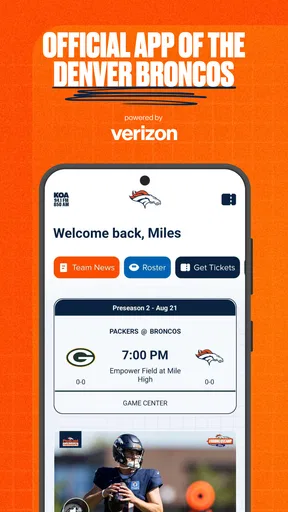
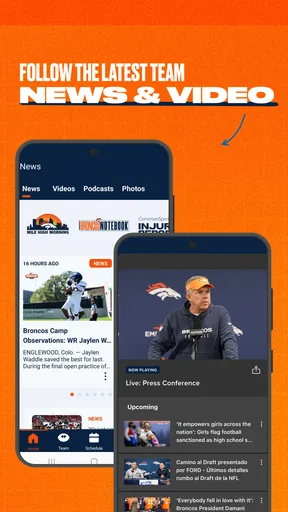
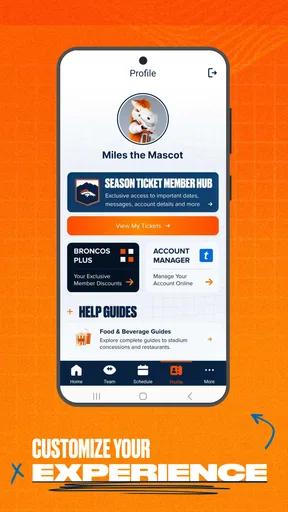
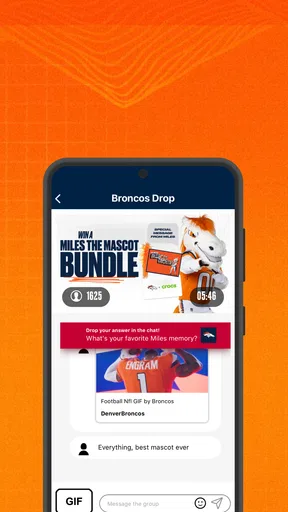
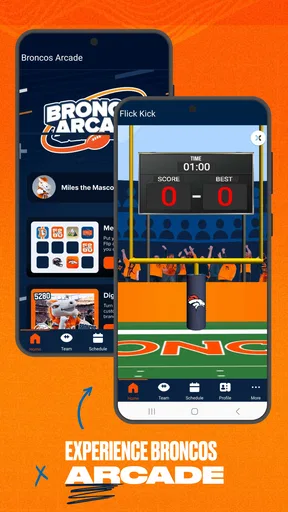
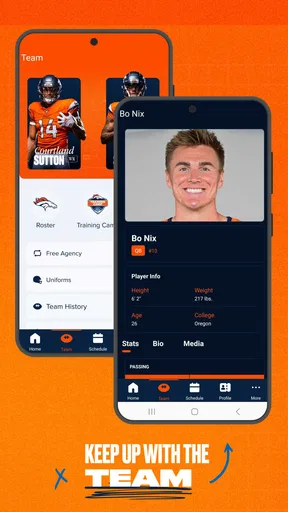
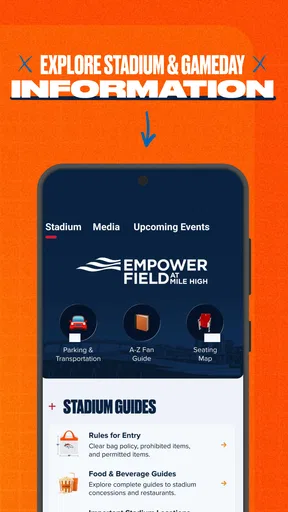
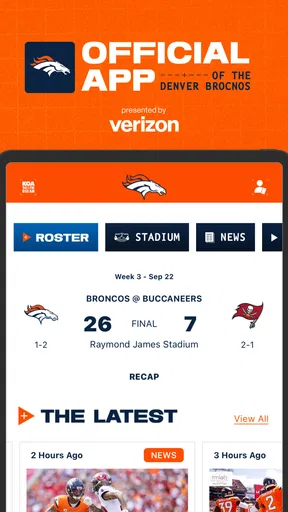
Our Review of Denver Broncos
 Analysis by Appyee
I approached Denver Broncos as a supporter’s companion rather than as a general sports portal. It is the official mobile app for the Denver Broncos, developed by YinzCam, Inc., and its appeal comes from that narrow focus: the team, its news, its game-day context, and the information a fan wants close at hand. I found it most useful when I wanted one recognizable place for Broncos-related updates instead of jumping between a league app, social networks, news sites, and browser tabs.
That focus also sets the right expectation. This is a free sports app for everyone, not a replacement for every service a football follower might use. It makes the most sense for someone who follows Denver regularly and wants team-specific material in a mobile format. If you only watch occasional national games or want broad coverage across many teams, a league-wide sports app may be a better everyday starting point.
What the Broncos app is really useful for
My first impression was that the app works best as a central dashboard for a single team. Instead of treating the Broncos as one item among dozens of clubs, it keeps the experience centered on Denver. That matters on busy football days, when general sports apps can bury team news beneath scores, headlines, and notifications from leagues you do not follow.
The app has been available since December 16, 2011, which gives it a long history compared with many short-lived team apps. Its current version is 3.7.0, and it requires an operating system version of 10 or newer. Before installing, I would check the device requirement rather than assuming any older phone will run it. That small step avoids the frustrating situation of finding the official app but discovering that the handset cannot install the current release.
Its popularity is also easy to understand: the listing shows an average rating of 4.4 from around twelve thousand ratings, with more than five hundred thousand installs. Those figures do not guarantee that every user will have the same experience, but they do suggest that the app has reached a substantial Broncos audience rather than serving only a tiny group of early adopters.
In daily use, the strongest reason to keep it installed is convenience. A fan can open it during a commute, before a game, or while checking what changed since the last visit. I would not install it expecting a neutral sports encyclopedia. I would install it because I want Denver information presented through the team’s own official channel.
Trust starts with knowing what kind of app this is
The official status is important here. When I am choosing between an unofficial fan feed and a team application, I prefer the option that clearly identifies itself with the club. That does not mean I treat every screen or alert as automatically perfect, but it gives the app a clearer purpose and a more trustworthy starting point than an anonymous collection of copied headlines.
The developer, YinzCam, Inc., is named openly in the app’s listing. For me, that is useful context because it separates the software provider from the team identity and makes it easier to recognize which product I am installing. The free price also lowers the commitment: I can try it, inspect the experience, and decide whether it earns a permanent place on my phone without paying first.
Still, “official” should not make anyone careless. I would install only the version found through the normal Android or iOS store route, keep the operating system updated, and avoid treating unexpected messages or external requests as part of the app merely because they use Broncos branding. The app is a convenient team channel, not a reason to abandon ordinary account and device caution.
Permissions, privacy, and the moments that deserve attention
Permissions and data practices are areas where I deliberately slow down. The information available for this app does not give me a complete permission inventory or a full description of every data practice, so I will not pretend to know more than the visible product details establish. My practical advice is to read the permission prompts when they appear and grant only what makes sense for the feature I am trying to use.
This is especially relevant for location, notifications, storage, contacts, or account-related requests if the app presents them. A notification permission can be reasonable for someone who wants team alerts, while it may be unnecessary for a casual visitor who only checks news occasionally. The same principle applies to location access: I would want a clear reason on screen before enabling it, and I would revisit the choice later if I stopped using the related function.
There are several data-sensitive moments that are easy to overlook. Installing a free app is only the first one. Signing in, enabling alerts, opening a media-heavy page, or moving from an in-app screen to an external service can each change what information is involved. I make a habit of checking whether a feature works without an account before creating one. If an account is required, I use a password I do not reuse elsewhere and keep the profile details to the minimum necessary.
I also avoid enabling every alert during the first launch. A better workflow is to begin with the smallest useful notification choice, use the app for a few days, and then add more only if I genuinely miss something. This is a simple but valuable trade-off: immediate alerts can make the app feel timely, yet too many interruptions can turn a helpful team tool into background noise.
Practical ways I would use it on a football day
My most realistic use case is a Sunday when I am away from the television for part of the day. Before leaving home, I would open the app to catch up on the latest Broncos material. During the afternoon, I could return to the team-specific view instead of searching through a general sports feed where Denver updates compete with unrelated games. Later, I would use it as a quick reference point when talking with friends who are also following the team.
A second useful routine is separating “check-in” visits from “live attention.” I would open the app briefly during a break rather than leaving it running continuously. That saves battery and keeps the experience intentional. If I decide I need live-style alerts, I would enable only the ones that match how I follow football. Fans who watch every game closely may want a more active setup; fans who prefer a quiet phone should keep notifications restrained.
Another non-obvious benefit of a team-specific app is reducing search friction. When the question is simply “what is happening with Denver?”, a focused app can be quicker than a web search that returns old articles, opinion pieces, and unrelated results. The trade-off is breadth: the same focus that makes Broncos information easier to find makes it less suitable for comparing developments across the entire league.
I would also use it as a second source rather than my only source for important details. If a game-day decision affects travel, tickets, or a personal schedule, I would cross-check the relevant information through the appropriate official channel. That is not a criticism unique to this app; it is a sensible habit whenever a mobile feed may change or depend on connectivity.
Controls that improve the experience, and where I stay cautious
The most important control is the decision to install it at all. Because it is free, I can test it without a financial barrier, but I still consider storage, notifications, account requests, and data permissions part of the cost of attention. I would remove it if I found that I was not using the team material or if its alerts became more distracting than helpful.
On a shared device, I would be particularly careful with account access and visible notifications. A lock-screen alert can reveal more than intended to someone nearby, especially if the phone is used by family members or left on a desk. I prefer short previews or disabled previews when privacy matters. That choice does not reduce my ability to check the app manually; it simply keeps the phone from broadcasting every update.
If the app offers a sign-in flow, I would look for the normal options to log out, reset access, or manage the account before committing to it. I would also check the device’s system settings after installation, because operating-system controls are often the clearest place to adjust notifications and permissions. The visible choices I can control matter more to me than promises that are not explained at the moment I need them.
For families, the Everyone content rating makes the app broadly approachable, but I would still supervise account creation and external links for younger users. An age label is helpful context, not a substitute for checking what a child is being asked to share or open. Adults who want a simple team feed should find the low barrier appealing; parents should retain the final say over device permissions and accounts.
How it compares with general sports apps and social feeds
Compared with a general sports app, this one wins on identity and focus. A league-wide service is better when I want standings, scores, and headlines from many teams in one place. It may also be the better choice for someone who follows several sports. The Broncos app becomes more attractive when Denver is the main subject and I do not want to filter through a crowded homepage.
Compared with social media, the app offers a calmer and more deliberate route to team information. Social feeds can be faster and more conversational, but they also mix official posts, commentary, rumors, advertisements, and unrelated recommendations. I like social platforms for fan reaction; I prefer a dedicated team app when I want to check the club’s own mobile presence without sorting every post by source.
Compared with a browser bookmark, the app is more convenient for repeated visits, especially if the layout remembers the team context and presents mobile-friendly navigation. A browser remains better for occasional readers who do not want another installation or who need to compare several sources at once. In my view, the app is not automatically superior; it is a better fit when the Broncos are part of my regular routine.
There is also a trade-off between specialization and independence. A dedicated team application naturally emphasizes the Broncos rather than giving me a broad, neutral view of the sport. That is exactly why I would use it, but it is also why I would not rely on it for every football question. For analysis, league-wide comparisons, or wider news discovery, I would pair it with a broader source.
Who should install it, and who should skip it
I would recommend it to Broncos supporters who want a free, official team app and expect to check Denver-related information more than once in a while. It is particularly suitable for fans who dislike searching through general sports pages, people who want a dedicated place for team updates, and users who are comfortable managing notifications and permissions themselves.
I would be more hesitant if someone follows football casually, supports several teams equally, or wants one app to cover every sport. That person may get more value from a broader sports platform. I would also skip it on a device that cannot meet the minimum operating-system requirement, rather than trying to force an outdated installation. The app’s narrow focus is a strength for a Broncos fan and a weakness for everyone else.
Travelers should think about connectivity and battery habits. I would not assume that every piece of content will be equally convenient when the connection is poor, and I would avoid leaving alerts or media-heavy screens active all day. Checking before leaving home, using a modest notification setup, and returning to the app when needed is a more reliable routine than expecting it to replace every other game-day tool.
My cautious verdict after weighing control and usefulness
The best reason to choose this app is focused access to the Denver Broncos without a subscription price. Its official team identity, long availability, broad audience, and current release make it an easy recommendation for a committed supporter using a compatible device. I appreciate that I can approach it as a practical team hub rather than as a noisy all-purpose sports product.
My recommendation comes with boundaries. I would inspect permissions, make notification choices gradually, protect account details, and avoid assuming that an official app removes the need for normal privacy awareness. The visible user choices matter: I want to decide what reaches my lock screen, what access the app receives, and whether an account is worth creating for my own routine.
After that setup, the decision is simple. If Denver is the team I check first, I would keep this free sports app installed and use it alongside a broader source when I need league-wide context. If I only want occasional scores or follow many teams, I would choose the broader alternative instead. For the right fan, Denver Broncos is a focused and sensible companion; its value comes from that focus, provided I remain deliberate about alerts, permissions, and personal data.
Verdict
Strengths of Denver Broncos
- Official team news, scores, schedules, and updates in one place.
- Useful for following Broncos games while away from the TV.
- Push notifications can deliver timely team announcements.
- Easy access to roster details and player information.
- Helpful companion for fans planning around upcoming fixtures.
Limitations of Denver Broncos
- Some content may require a stable internet connection.
- Notifications can become frequent during games and major news.
- Features may feel limited for fans who follow several teams.
- Video and live content availability can vary by location.
- The app may use extra battery when alerts run continuously.
Other Releases by YinzCam, Inc.
View All
Pittsburgh Steelers
Sports3.8

Green Bay Packers
Sports4.5

Chiefs Mobile
Sports3.9

Buffalo Bills Mobile
Sports4.3
Similar Picks in This Category
View All
BeSoccer: Soccer Live Score
BeSoccer apps4.3

Cricbuzz - Live Cricket Scores
Cricbuzz.com3.7

NFL
NFL Enterprises LLC2.4

Da Fit
MO YOUNG LIMITED3.6

ESPN
Disney4.5

LiveScore: Live Sports Scores
LiveScore Limited4.5
Frequently Asked Questions
What is the Denver Broncos app used for?
The Denver Broncos app is designed for fans who want quick access to team news, schedules, scores, player updates, videos, and official announcements. It can also provide game-day information, ticket-related tools, stadium details, and links to team merchandise. During the season, it is especially useful for following live developments without relying only on social media or third-party sports websites.
Can I watch Denver Broncos games through the app?
The app may offer live game updates, play-by-play information, statistics, highlights, interviews, and selected video content, but it generally does not replace a television or authorized streaming subscription for watching complete live games. Availability can depend on your location, broadcasting rights, and the specific competition. Check the app’s current features and regional restrictions before downloading it for live viewing.
Does the Denver Broncos app provide tickets and stadium information?
Yes, official Broncos digital services commonly include tools for managing tickets, checking event information, reviewing stadium policies, and finding directions or parking details. Some features may redirect you to a secure ticketing platform or require you to sign in with an account connected to your purchase. Fans attending a game should review the latest entry rules and mobile-ticket requirements before arriving.
Is the Denver Broncos app free to download and use?
The official app is typically free to download on compatible Android and iOS devices, and many of its basic features can be used without payment. However, certain experiences may involve separate costs, such as purchasing tickets, merchandise, subscriptions, or access through a broadcast provider. Mobile data charges may also apply when streaming videos, loading live updates, or using the app away from Wi-Fi.
What permissions and account details does the Denver Broncos app require?
Depending on the features you use, the app may request notifications, location access, storage or media permissions, and permission to use mobile data. Notifications can alert you about scores, news, and game-day events, while location access may support venue-related services. An account may be needed for tickets, personalized content, or purchases. Review the privacy policy and device permissions before accepting them.
